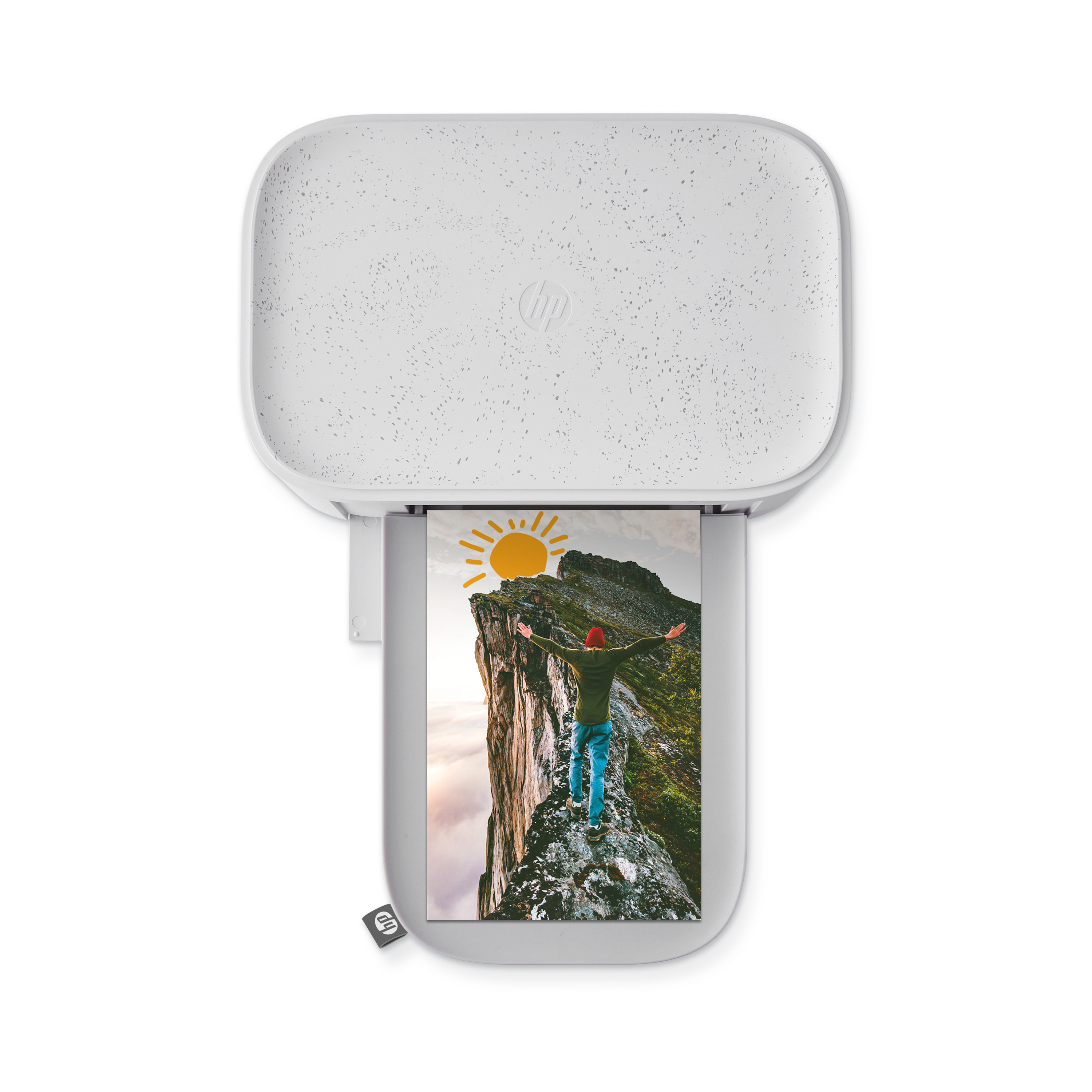
HP Sprocket Select 2.3" x 3.4" Wireless Photo Printer

HPISPSLE
HPISPSLE
Print and share copies of your favorite photos as fun stickers with the HP Sprocket Wireless Photo Printer. The portable HP Sprocket Wireless Photo Printer is a convenient printer with Bluetooth connectivity that lets you print straight from your phone.  Just take photo, print smudge-free 2.3” x 3.4” photos on ZINK® Zero Ink sticker photo paper, and stick on any surface you choose. Includes Micro-USB charging cable and ZINK® Zero Ink photo paper.
What’s Included
  • HP Sprocket Select 2.3" x 3.4” Wireless Photo Printer
  • Quick Start Guide
  • USB Charging Cable
  • HP Sprocket 2.3" x 3.4" Premium ZINK® Sticky-back Photo Paper Starter Pack (10 sheets)
  • Regulatory and Warranty Sheets
Eclipse
Print and share copies of your favorite photos as fun stickers with the HP Sprocket Wireless Photo Printer. The portable HP Sprocket Wireless Photo Printer is a convenient printer with Bluetooth connectivity that lets you print straight from your phone.  Just take photo, print smudge-free 2.3” x 3.4” photos on ZINK® Zero Ink sticker photo paper, and stick on any surface you choose. Includes Micro-USB charging cable and ZINK® Zero Ink photo paper.
Read More
$129.99 $109.99
$129.99 $109.99
Limit of 3102 items available
What’s Included
  • HP Sprocket Select 2.3" x 3.4” Wireless Photo Printer
  • Quick Start Guide
  • USB Charging Cable
  • HP Sprocket 2.3" x 3.4" Premium ZINK® Sticky-back Photo Paper Starter Pack (10 sheets)
  • Regulatory and Warranty Sheets
HP Sprocket App
Specifications

Accessorize

Bundle and save with these bundle options.

Eclipse

snap.

print.

create.

Quality Prints Every Time

Your favorite memories deserve to be smudge free.

ZINK Zero Ink sticker photo paper lets you turn your favorite photos into high-quality, smudge-free stickers instantly with a click of a button. Simply, take your photo, print, and stick to any surface you choose.

Discover the

HP Sprocket App

Image Preview

Edit, print or share your photos from Image Preview.

  • Tap the pencil icon to edit your images. Apply Filters and add frames, stickers, text and other extras.
  • Pinch with two fingers to zoom, rotate or resize the photo.
  • Tap the printer icon to print.

You can also share, save, and print multiple copies of your photo.

Photobooth

Open the Sprocket App camera and swipe to “Photobooth”. Tap
the shutter icon to start taking four photos in a row. Watch the
on-screen countdown to know when to pose.

  • Your four images will appear tiled on the same print in the Preview Screen.
  • Press the shutter icon to stop a photo series while the pictures are being taken.

Custom Stickers

Click edit to open the Sticker Gallery. Then tap the plus icon in the bottom-left corner. Fill the frame with your doodle and start to customize your prints.

  • Custom stickers will save to the Custom Sticker Gallery folder, located next to the plus icon in the Sticker Gallery.
  • Long-tap on a sticker to delete it.
  • Long-tap on the Custom Sticker Gallery to delete the folder.

Tile Printing

Tap “Tiles” located on the Preview Screen.
Select your pattern. Tiled photos can print out in 2x2 or 3x3 prints.
Assemble your prints to create a large tiled photo!

Photo ID

Open the Sprocket camera and swipe to “Photo ID”.

Choose photo dimensions.

Follow the prompts for selecting a background, removing accessories, and centering your face or your friend’s face.

Works best with Sprocket Studio Plus.

NOTE: We don’t guarantee that the Sprocket photo will be
accepted by all entities that require an official photo. You will
need to confirm that the photo meets the applicable
requirements.

Discover the

HP Sprocket App

Image Preview

Edit, print or share your photos from Image Preview.

  • Tap the pencil icon to edit your images. Apply Filters and add frames, stickers, text and other extras.
  • Pinch with two fingers to zoom, rotate or resize the photo.
  • Tap the printer icon to print.

You can also share, save, and print multiple copies of your photo.

Photobooth

Open the Sprocket App camera and swipe to “Photobooth”. Tap
the shutter icon to start taking four photos in a row. Watch the
on-screen countdown to know when to pose.

  • Your four images will appear tiled on the same print in the Preview Screen.
  • Press the shutter icon to stop a photo series while the pictures are being taken.

Custom Stickers

Click edit to open the Sticker Gallery. Then tap the plus icon in the bottom-left corner. Fill the frame with your doodle and start to customize your prints.

  • Custom stickers will save to the Custom Sticker Gallery folder, located next to the plus icon in the Sticker Gallery.
  • Long-tap on a sticker to delete it.
  • Long-tap on the Custom Sticker Gallery to delete the folder.

Tile Printing

Tap “Tiles” located on the Preview Screen.
Select your pattern. Tiled photos can print out in 2x2 or 3x3 prints.
Assemble your prints to create a large tiled photo!

Photo ID

Open the Sprocket camera and swipe to “Photo ID”.

Choose photo dimensions.

Follow the prompts for selecting a background, removing accessories, and centering your face or your friend’s face.

Works best with Sprocket Studio Plus.

NOTE: We don’t guarantee that the Sprocket photo will be
accepted by all entities that require an official photo. You will
need to confirm that the photo meets the applicable
requirements.

Zero Ink Technology

Bright Vibrant Colors!

Specifications

Product Number:

HPISPSLE

Functions:

Print

Color:

Eclipse

Dimensions:

3.48" x 5.13" x 0.69"

Weight:

0.40 lb

Connectivity, standard:

Bluetooth 5.0

Printer management:

HP Sprocket App

Power supply:

Li-Polymer 7.4 V – 2 cell internal rechargeable battery,

700 mAh Li-ion polymer battery

USB Port:

Micro USB

Charge time:

120 Minutes

Print Technology:

Thermal printing with a ZINK® ZERO INK printer

Supported Paper:

HP Sprocket 2.3" x 3.4" Premium ZINK® Sticky-Back Photo Paper

Borderless Printing:

No

Supported Media Size:

2.3" x 3.4"

Mobile Printing Capacity:

Yes, through the Sprocket app

Print Quality:

321 x 600 dots per inch (dpi)

Print Speed:

1 ppm (1 page per minute)

Paper Output Direction:

Front

Mobile Connectivity:

• Supported by Android™ devices using OS v5.0 and above /
iOS 10.0.2 and above.

• Made for iPhone XS Max, iPhone XS, iPhone XR, iPhone X, iPhone 8, iPhone 8 Plus, iPhone 7, iPhone 7 Plus, iPhone SE, iPhone 6s, iPhone 6s Plus, iPhone 6, iPhone 6 Plus, iPhone 5s, iPhone 5c, iPhone 5, iPad Pro 12.9-inch (1st, 2nd and 3rd generation), iPad Pro 11-inch, iPad (4th, 5th, and 6th generation), iPad Pro 10.5-inch, iPad Pro 9.7-inch, iPad Air 2, iPad Air, iPad mini (2, 3, and 4), iPod touch (6th generation)

Control Panel:

Power Button; Reset Button; Charge and Status Indicator LED Lights

Environmental Parameters:

• Operating humidity: 5% to 70% RH (recommended)
• Non-operating humidity: <5% RH or >71% RH
• Operating temperature: 5° to 40° C (41° to 104° F)
• Recommended operating temperature: 15° to 32° C (59° to 90° F)
• Storage temperature: -40° to 60° C (-40° to 140° F)
• Media Storage: 32-77° F (0-25° C), 40-60% RH

Warranty:

One-year limited hardware warranty.

Customer Reviews

Smudge-Free Memories

With ZINK Zero Ink, printing photos is easier than ever. Create vibrant, ink-free prints on durable, peel-and-stick photo paper that resists smudging, tearing, and water damage.

Compatible with

Sprocket Select

Compatible with

Sprocket Select

Pocket-sized prints that stick anywhere.

Compatible with

Sprocket Select

Compatible with

Sprocket Select

Pocket-sized prints that stick anywhere.

Compatible with

Sprocket Select

Compatible with

Sprocket Select

Pocket-sized prints that stick anywhere.